
Table of Contents
ToggleLearning how to virtual reality might seem intimidating at first, but it’s simpler than most people expect. Virtual reality (VR) technology has become more accessible and affordable than ever before. Millions of users now enjoy immersive gaming, virtual travel, fitness apps, and social experiences from their living rooms. This guide breaks down everything beginners need to know about virtual reality, from understanding the technology to setting up their first headset and jumping into their first VR experience.
Key Takeaways
- Virtual reality technology creates immersive 3D environments where users feel present inside the content rather than just watching it.
- Standalone VR headsets like the Meta Quest 3 cost $300–$500 and work without external computers, making them ideal for beginners learning how to virtual reality.
- You need at least a 6.5 x 6.5-foot clear play area for room-scale virtual reality experiences.
- Setting up your VR system takes about 30 minutes and includes charging, downloading companion apps, defining your play space, and adjusting headset fit.
- Start with 15–20 minute sessions and choose beginner-friendly content with teleportation movement to avoid motion sickness.
- Beyond gaming, virtual reality offers fitness programs, virtual tourism, 3D creative tools, and social experiences worth exploring.
Understanding What Virtual Reality Is
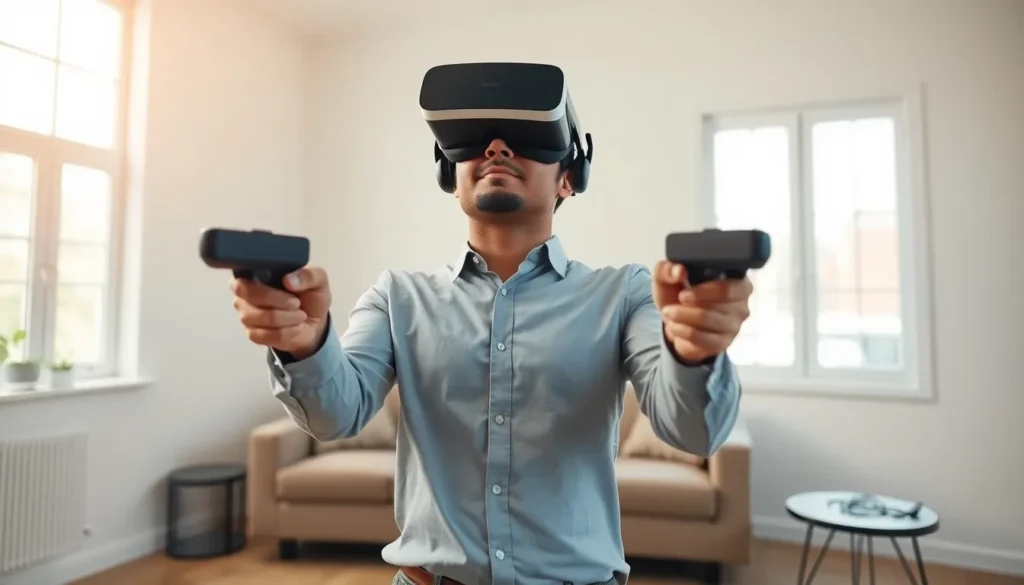
Virtual reality is a technology that creates simulated, three-dimensional environments. Users wear a headset that covers their eyes and ears, blocking out the real world. The headset displays computer-generated images that respond to head movements. When users look left, the virtual world shifts left. When they look up, they see a virtual sky or ceiling.
VR differs from traditional screens because it creates a sense of presence. Users don’t just watch content, they feel like they’re inside it. This immersion happens through stereoscopic displays that show slightly different images to each eye, mimicking how human vision works naturally.
Modern virtual reality systems also track hand movements. Controllers or hand-tracking cameras let users grab virtual objects, push buttons, and interact with their environment. Some advanced setups track full-body movement, allowing users to walk, crouch, and move freely within virtual spaces.
Virtual reality applications extend far beyond gaming. Medical students practice surgeries in VR. Architects walk clients through buildings before construction begins. Fitness enthusiasts box virtual opponents or climb simulated mountains. Social platforms let friends meet in virtual spaces regardless of physical distance.
Essential Equipment You Need for VR
The core piece of virtual reality equipment is the headset itself. VR headsets fall into two main categories: standalone and tethered.
Standalone VR Headsets
Standalone headsets contain all necessary computing hardware inside the device. The Meta Quest 3 is currently the most popular standalone option. Users charge the headset, put it on, and start playing, no wires, no external computer required. Standalone devices cost between $300 and $500 and work well for most beginners.
Tethered VR Headsets
Tethered headsets connect to a gaming PC or console. The PlayStation VR2 connects to PlayStation 5 consoles. PC headsets like the Valve Index or HP Reverb G2 require computers with powerful graphics cards. These systems deliver higher visual quality but cost more, often $1,000 or more including the required computer hardware.
Additional Equipment
Most virtual reality headsets include controllers. These handheld devices feature buttons, triggers, and motion sensors. Some users purchase additional accessories like prescription lens inserts, comfort straps, or extended battery packs.
Play space matters too. VR experiences require physical room. Users need at least a 6.5-foot by 6.5-foot clear area for room-scale virtual reality. Some games work while seated or standing in place, requiring less space.
Setting Up Your VR System
Setting up virtual reality equipment takes about 30 minutes for most users. The process varies slightly between devices, but general steps remain consistent.
First, charge the headset fully before initial setup. Most VR headsets ship with partial battery charges. A full charge ensures the setup process completes without interruption.
Next, download the companion app on a smartphone. Meta Quest devices use the Meta Quest app. PlayStation VR2 uses the PlayStation App. These apps guide users through account creation and device pairing.
Then, define the play area. VR systems use cameras or sensors to map physical space. Users draw virtual boundaries on the floor using their controllers. The headset will display warnings when users approach these boundaries during play.
Adjust the headset fit carefully. Most devices feature adjustable straps and interpupillary distance (IPD) settings. IPD adjusts the lens spacing to match the distance between a user’s eyes. Proper IPD alignment prevents eye strain and improves image clarity.
For tethered virtual reality systems, install the required software on the connected computer or console. Graphics drivers should be updated to the latest versions. USB and display cables must connect securely.
Finally, complete the in-headset tutorial. Most VR platforms include interactive tutorials that teach basic controls. These tutorials show users how to select menu items, move through virtual spaces, and use controller functions.
Tips for Your First VR Experience
First-time virtual reality users should follow several guidelines to ensure a comfortable experience.
Start with short sessions. VR can cause motion sickness, especially for new users. Begin with 15-20 minute sessions and take breaks when discomfort appears. Most people build tolerance over time.
Choose beginner-friendly content first. Games with teleportation movement cause less motion sickness than those with smooth locomotion. Many VR platforms label content with comfort ratings. Look for “comfortable” or “beginner” tags initially.
Stay aware of physical surroundings. Virtual reality blocks real-world vision. Users have walked into walls, tripped over pets, and punched televisions while immersed in VR. Clear the play area of obstacles before each session.
Keep the headset lenses clean. Fingerprints and dust reduce image quality. Use microfiber cloths designed for optical lenses. Never spray cleaning solutions directly on the lenses.
Consider playing with others nearby. Having a friend or family member present during early virtual reality sessions adds safety. They can warn users about obstacles and help if motion sickness occurs.
Explore different types of VR content. Games get the most attention, but virtual reality offers much more. Try virtual tourism apps, creative tools like painting in 3D, meditation experiences, or fitness programs. The variety helps users discover what they enjoy most about the technology.


