
Table of Contents
ToggleVirtual reality tips can make or break a first-time VR experience. Many beginners jump into virtual reality without proper preparation, leading to discomfort, accidents, or expensive equipment damage. This guide covers the essential steps for setting up a safe play area, adjusting hardware for comfort, and avoiding common pitfalls like motion sickness. Whether someone just unboxed their first headset or they’re helping a friend get started, these practical virtual reality tips will ensure a smooth and enjoyable introduction to immersive technology.
Key Takeaways
- Follow these virtual reality tips to set up a safe play area with at least 6.5 × 6.5 feet of clear space, free of furniture, pets, and fragile items.
- Adjust your headset’s back strap to cup the base of your skull and fine-tune the IPD setting to prevent eye strain and blurry visuals.
- Start with stationary VR experiences and limit initial sessions to 15–20 minutes to reduce motion sickness while your brain adapts.
- Choose beginner-friendly content with “comfortable” ratings and use teleportation movement instead of smooth locomotion to ease into VR.
- Clean lenses only with microfiber cloths, store your headset away from sunlight, and keep firmware updated to protect your investment.
- These practical virtual reality tips help first-time users avoid discomfort, equipment damage, and common beginner mistakes.
Setting Up Your VR Space Safely
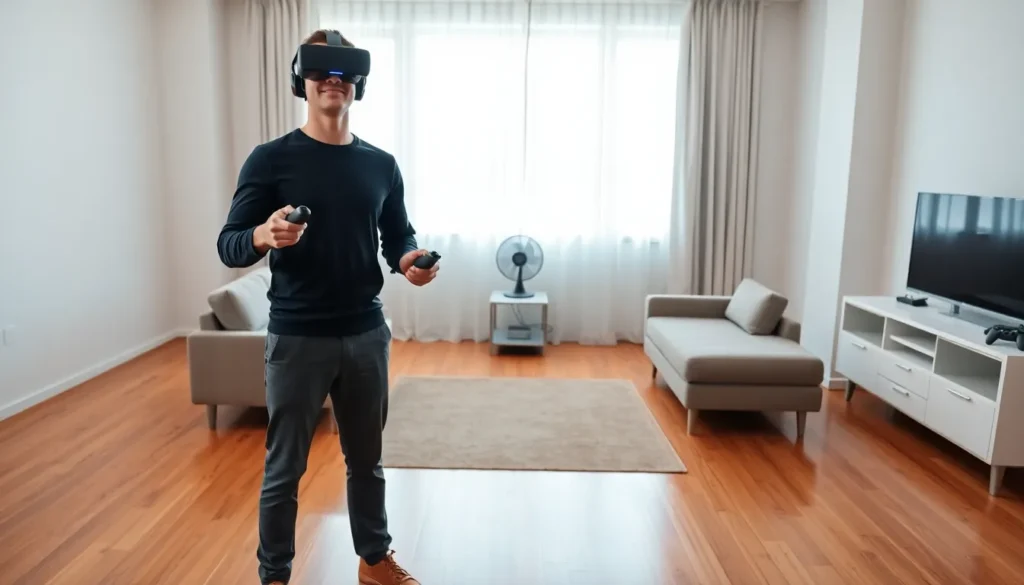
A proper play area prevents injuries and protects belongings. Most VR headsets require a minimum of 6.5 feet by 6.5 feet of clear floor space. Larger areas allow for more freedom of movement, but even smaller spaces work with seated or standing-only experiences.
Remove furniture, sharp objects, and fragile items from the play zone. Coffee tables are particularly dangerous, many users have bruised shins or broken screens by colliding with them mid-game. Pets and children should stay outside the play area during sessions.
The guardian or boundary system built into most headsets acts as a virtual fence. Users should configure this feature carefully and set boundaries slightly inside actual walls and furniture. This buffer zone provides extra reaction time when approaching obstacles.
Floor surface matters too. Hard floors work best for standing experiences because carpet can cause instability during quick movements. A small area rug centered in the play space gives users a tactile reference point for staying oriented without looking down.
Good lighting helps tracking cameras detect hand controllers accurately. Avoid direct sunlight hitting the headset lenses, as this can damage internal displays. Natural light from windows should be diffused with curtains during VR sessions.
Adjusting Your Headset for Comfort
Proper headset adjustment affects both comfort and visual clarity. Most beginners wear their headset incorrectly, leading to blurry images and face pressure.
The back strap should cup the base of the skull, not sit high on the head. This distributes weight more evenly and reduces forehead pressure. Tighten the side straps until the headset feels secure without creating pressure points.
Interpupillary distance (IPD) adjustment aligns the lenses with each user’s eyes. Most headsets offer either physical sliders or software settings for this. Incorrect IPD causes eye strain, headaches, and blurry visuals. Users can measure their IPD using smartphone apps or a ruler and mirror.
The sweet spot, the clearest part of each lens, sits in the center. Users should move the headset up, down, and side to side while looking at text until they find the sharpest focus. Some people need the headset tilted slightly upward for the best clarity.
Facial interfaces wear out over time and absorb sweat. Third-party replacements made from silicone or leather clean more easily than foam originals. These upgrades also improve hygiene when sharing headsets between multiple users.
For glasses wearers, lens spacers create room between prescription lenses and VR lenses. Scratches from glasses rubbing against VR lenses are permanent and expensive to fix. Prescription lens inserts offer another solution and eliminate the need to wear glasses entirely.
Preventing Motion Sickness
Motion sickness affects roughly 40% of VR users to some degree. The brain receives conflicting signals when eyes see movement that the inner ear doesn’t detect. This disconnect triggers nausea, sweating, and disorientation.
New users should start with stationary experiences. Games where the player stands in one place and interacts with objects cause less discomfort than those involving artificial locomotion. Beat Saber and Job Simulator are excellent starter choices.
Session length matters significantly. Beginners should limit initial sessions to 15-20 minutes. The brain adapts to VR over time, so users can gradually extend playtime as they build tolerance. Taking breaks at the first sign of discomfort prevents symptoms from worsening.
Smooth locomotion, where characters glide through virtual spaces, causes the most problems. Teleportation movement systems let players point and jump to new locations instantly, which most people tolerate better. Many games offer both options in their settings.
A fan blowing cool air provides a physical reference point and reduces sweating. Some users find that ginger supplements or anti-nausea wristbands help, though scientific evidence remains mixed. Eating a light meal before playing often works better than using VR on an empty or overly full stomach.
Games with stable horizons and cockpits cause less sickness than open-world exploration titles. Racing simulators and space games put players inside vehicles, which gives the brain a fixed reference frame.
Choosing the Right VR Experiences
Content selection determines whether beginners enjoy VR or abandon it after one session. Starting with the wrong experience creates negative associations that are hard to overcome.
First-time users benefit from short, guided experiences. Many headsets include tutorial apps that introduce VR concepts gradually. These tutorials teach controller functions, movement systems, and interaction methods without overwhelming new users.
Social VR apps let beginners explore virtual spaces with friends or strangers. Apps like VRChat and Rec Room offer free experiences and help users understand VR’s social potential. But, these platforms sometimes contain mature content, so parents should supervise younger users.
Fitness apps combine exercise with entertainment. Supernatural, FitXR, and Beat Saber turn workouts into games. These experiences provide clear goals and physical feedback that ground users in the experience.
Creative applications appeal to artistic users. Tilt Brush (now Kingspray and Open Brush) lets people paint in three-dimensional space. Gravity Sketch enables 3D modeling without traditional software learning curves.
Before purchasing games, users should check comfort ratings. Most VR storefronts label experiences as comfortable, moderate, or intense. Starting with comfortable-rated content and progressing to intense experiences over weeks produces the best results.
Free demos exist for many popular VR games. Testing before buying prevents wasted money on experiences that trigger discomfort or don’t match personal preferences.
Caring for Your VR Equipment
VR headsets require regular maintenance to function properly and last for years. Neglecting basic care leads to degraded performance and expensive repairs.
Lenses need gentle cleaning with microfiber cloths only. Paper towels, shirts, and regular cloths scratch lens coatings permanently. Users should clean lenses before each session to maintain visual clarity. Compressed air removes dust from crevices without touching sensitive surfaces.
Batteries in controllers need monitoring. Low battery levels cause tracking issues and controller drift. Rechargeable batteries save money over time and reduce environmental waste. Users should keep spare batteries charged and ready.
Storage location affects equipment longevity. Headsets should rest in cases or on stands away from direct sunlight. Even brief sun exposure through lenses can burn internal displays. Temperature extremes damage batteries and screens, so avoid storing equipment in cars or garages.
Cable management prevents tripping hazards and cable damage. Wireless adapters eliminate cables entirely for supported headsets. Cable pulley systems mount to ceilings and keep wires overhead during wired sessions.
Facial interfaces collect sweat and bacteria. Wiping down foam padding after each use extends its life and maintains hygiene. Silicone covers slip over foam interfaces and clean easily with alcohol wipes.
Firmware updates fix bugs and add features. Users should check for updates regularly and install them before play sessions. Outdated firmware sometimes causes tracking problems and compatibility issues with new games.


